In 2026, the accounting software landscape is evolving faster than ever, driven by increased digital adoption, stricter tax regulations, and the rising need for real-time financial insights. Today, businesses — especially small and medium enterprises (SMEs) — want smarter ways to manage finances, automate tax filings, and track cash flow without manual effort.

Accounting software is no longer optional. It has become essential for startups, freelancers, small businesses, ecommerce, retailers, and growing enterprises that want to improve efficiency and make better decisions.

In this article, we’ll cover the best accounting software options available in 2026. 

Accounting software is a digital platform that automates the core financial management tasks of a business — including accounts payable, accounts receivable, billing, payroll, bank reconciliation, and general ledger management — replacing the manual, error-prone processes that historically consumed enormous amounts of business owner and accountant time. At its most fundamental level, it creates and maintains an accurate, real-time record of every financial transaction a business makes, providing the visibility needed to make informed operational and strategic decisions.

Modern accounting platforms go considerably further than basic bookkeeping, however. They integrate with banking systems, payment gateways, e-commerce platforms, CRM systems, and payroll tools to create a connected financial infrastructure across the entire business. They generate financial statements automatically, track tax liabilities in real time, and — increasingly in 2026 — use artificial intelligence to identify anomalies, predict cash flow, and suggest optimization opportunities that a human accountant might miss.

Related categories of financial software often work alongside accounting platforms: audit tools for internal controls, billing and invoicing systems for client-facing revenue management, compliance platforms for regulatory reporting, and financial consolidation tools for multi-entity organizations. The most effective accounting platforms increasingly incorporate elements of all these categories into a unified system.

Kingtechiz simplifies the software decision-making process by providing expert comparisons, verified pricing data, and unbiased recommendations tailored to your business size and industry.

This guide reflects the Kingtechiz methodology for evaluating accounting platforms as of 2026

Why Accounting Software is Essential for Small Businesses

Accounting is the language of business — and for millions of small and growing businesses, it remains one of the most time-consuming, error-prone, and anxiety-inducing operational tasks. A 2025 study by FICCI found that Indian SMEs spend an average of 12 hours per week on manual financial tasks — time that could be invested in customer acquisition, product development, or team management. Accounting software reclaims that time, reduces costly errors, and transforms financial management from a burden into a business asset.

  • Streamlined Financial Operations: Automates routine data entry, transaction categorization, invoice generation, and payment reconciliation — eliminating the manual effort that consumes disproportionate time in undigitized businesses.
  • Accurate, Auditable Records: Replaces error-prone manual bookkeeping with double-entry accounting that automatically checks for mathematical accuracy and maintains a complete, time-stamped audit trail of every financial transaction.
  • Real-Time Decision Support: Provides instant access to cash flow position, outstanding receivables, expense trends, and profitability metrics — enabling faster, better-informed business decisions without waiting for monthly accountant reports.
  • Automated Compliance and Tax Management: Handles GST calculations, e-invoicing, e-way bill generation, and tax return preparation automatically — reducing compliance risk and eliminating the need for manual tax tracking.
  • Accelerated Financial Reporting: Generates P&L statements, balance sheets, cash flow reports, and custom analytics in seconds rather than days — giving business owners the financial intelligence they need, when they need it.
  • Seamless Team and Accountant Collaboration: Cloud-based platforms allow business owners, employees, and external accountants to access the same real-time financial data from any location — eliminating the version-control problems and communication delays that plague document-based accounting. 

Who Needs Accounting Software?

The honest answer is: any business that generates revenue, incurs expenses, or has a tax obligation — which is to say, every business. The practical question is not whether you need accounting software, but which type and tier best matches your current complexity and growth trajectory. The following segment guide helps identify the most relevant options for each business type.

  • Small Businesses: Need an accessible platform that simplifies invoicing, expense tracking, and GST compliance without requiring accounting expertise. Zoho Books, FreshBooks, and Wave are ideal starting points.
  • Accountants and Bookkeepers: Require platforms with strong client management, multi-company support, and deep reporting capabilities. QuickBooks, Xero, and Zoho Books are the most accountant-preferred options in the category.
  • Startups: Benefit from scalable platforms with strong integrations, automation, and the flexibility to grow from basic invoicing to multi-currency, multi-entity operations. QuickBooks and Xero offer the most scalable architecture.
  • Freelancers and Solopreneurs: Need fast invoicing, time tracking, basic expense management, and client payment tools without operational overhead. FreshBooks and Wave are purpose-built for this segment.
  • Enterprises and Large Organizations: Require multi-entity consolidation, advanced audit trails, role-based access controls, and deep compliance features. Sage 50, QuickBooks Advanced, and enterprise-tier Zoho Books serve this segment.
  • Non-Profit Organizations: Need specialized tools for fund accounting, donation tracking, grant management, and regulatory compliance. Sage and QuickBooks both offer non-profit-specific features and chart-of-accounts templates.
  • Retailers, Traders, and Distributors: Require strong inventory management, GST compliance, e-invoicing, and multi-godown or multi-location tracking. TallyPrime, Vyapar, and BUSY are purpose-built for this segment in India. 

Comparison Table: Accounting Software

SoftwareBest ForStarting PriceKey FeaturesRating
Zoho BooksSMEs, Startups₹0 / ₹20Invoicing, GST, Automation4.7/5
KashooSmall Businesses$20Reporting, Reconciliation4.2/5
FreshBooksFreelancers$21Billing, Time Tracking4.6/5
QuickBooksSmall & Medium Businesses$35Inventory Management, Financial Reports4.7/5
XeroStartups, Global Businesses$29Multi-currency, Automation4.5/5
SageProfessionals & SMEs$19Advanced Reporting4.5/5
TallyPrimeRetail, Offline Businesses₹ 750GST, Inventory Management4.4/5
VyaparIndian SMEs₹ 283Billing, Stock Management4.4/5
BusySMEs, GST-heavy₹ 0E-Invoice, GST4.4/5
WaveFreelancers$0Invoicing, Receipts Scanning4.3/5

10 Cheap Accounting Software for Small Business in 2026

    1. Zoho Books
    2. Kashoo
    3. FreshBooks
    4. Intuit QuickBooks
    5. Xero
    6. Sage
    7. Tallyprime
    8. Vyapar
    9. Busy
    10. Wave

Overview Of The 10 Best Accounting Software Pricing & Features Comparison Guide

Books-logo-lockup

Best For: Small and mid-sized businesses looking for cloud accounting, invoicing, tax compliance, and end-to-end financial management

Key Features

  • Invoicing & payment collection
  • Expense tracking
  • Bank reconciliation
  • Inventory management
  • Tax management
  • Project billing & timesheets
  • Financial reporting & analytics
  • Workflow automation
  • Multi-currency support
  • Customer and vendor portals

Benefits

  • Easy-to-use interface
  • Automates accounting workflows
  • Improves cash flow visibility
  • Helps stay tax compliant
  • Scales with growing businesses
  • Integrates with multiple business apps
  • Available on web and mobile

Pricing Details

Offers a forever free plan, along with multiple paid plans based on business size and feature requirements. Pricing varies by region and edition.

Any other relevant information

  • Part of the Zoho ecosystem
  • Supports integrations with payment gateways, banking services, and third-party apps
  • Available in multiple global editions with region-specific tax compliance
  • Mobile apps available for iOS and Android
  • Trusted by businesses across various industries worldwide
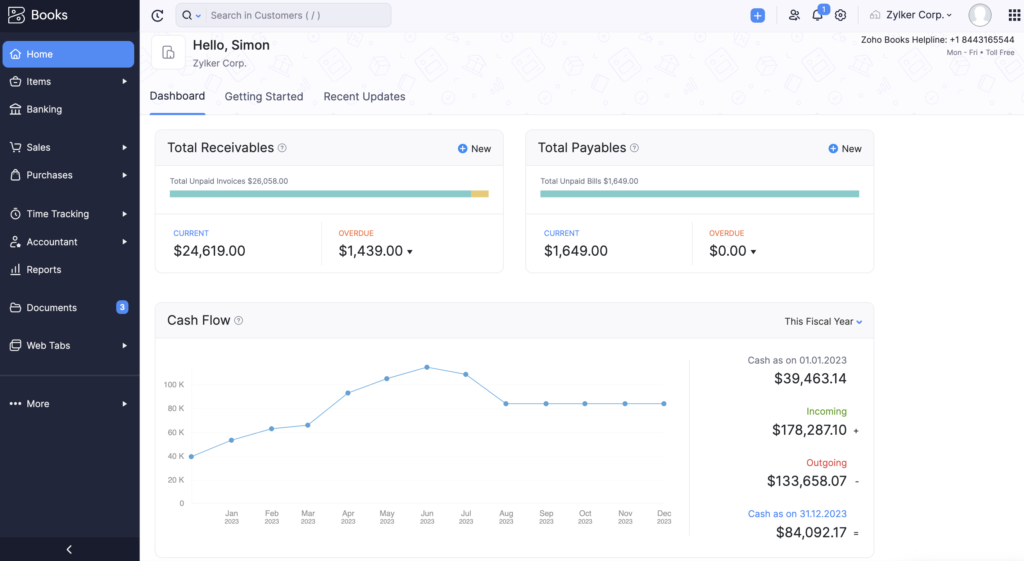
Zoho Accounting Dashboard

Kashoo is a cloud-native accounting platform developed by TrulySmall Software, designed for small businesses, freelancers, and entrepreneurs who want intelligent bookkeeping automation without the complexity of feature-heavy platforms like QuickBooks or Xero. Its standout feature is the TrulySmall engine — an AI-powered automation system that learns your transaction patterns and automatically categorizes expenses, reconciles accounts, and generates accurate financial reports with minimal manual input. Unlike most accounting platforms that require regular manual intervention, Kashoo is designed to run largely on autopilot once connected to your bank feeds — making it particularly well-suited to business owners who want accurate books without spending significant time on accounting administration. With multi-currency support, a clean mobile-first design, and seamless accountant collaboration, Kashoo punches above its price point for businesses whose needs are primarily reporting, reconciliation, and tax preparation.

10 Best Accounting Software For Small Businesses in 2026 [Pricing & Features]

Kashoo is the right choice for small business owners who are prepared to pay a modest subscription for highly automated, low-touch bookkeeping that keeps their accounts accurate with minimal daily effort. Its AI categorization engine and automatic reconciliation mean that business owners who connect their bank feeds can expect largely automated books — a significant time saving for entrepreneurs whose primary focus is running their business, not managing their accounting.

Pricing Plans

Plan

Price

Key Inclusions

TrulySmall Accounting

$20/month ($216/year)

Automated Accounting | Send Invoices | Income & Expense Tracking | Sales Tax Tracking | Essential Reporting | True Double-Entry Ledger | IRS/CRA Standard Chart of Accounts

Kashoo Advanced Accounting

$324/year

Send & Track Invoices | Customize Invoice Design | Accept Payments | Visual Dashboard | Advanced Business Reports | Income & Expense Tracking | Payroll Integration

Notes:

Pricing and availability vary by country. Discount offers may apply.

Core Features of Kashoo

  • AI-powered automatic transaction categorization and reconciliation
  • Double-entry accounting with IRS/CRA-standard chart of accounts
  • Professional invoice creation and online payment acceptance
  • Income and expense tracking with automatic bank feed import
  • Sales tax tracking and reporting
  • Advanced financial reporting with business performance dashboards (Advanced plan)
  • Payroll integration for supported regions
  • Multi-currency support for businesses with international transactions

Pros & Cons

  PROS

  CONS

AI-powered automation delivers highly accurate, low-maintenance bookkeeping once bank feeds are connected

Integration library is narrower than competitors — fewer connections to third-party business tools

Clean, uncluttered mobile-first interface makes financial management approachable on any device

Inventory management and payroll features are limited or require supplementary tools

Multi-currency support and solid reporting for the modest price point

Not designed for businesses that have complex organizational structures or high transaction volumes

Accountant collaboration tools streamline year-end and tax-time processes


Double-entry accounting provides the accuracy and compliance depth that growing businesses need


Industries

Small Businesses, Freelancers, Remote Teams, Mobile-First Operations, Independent Contractors, Canadian Businesses

FreshBooks is a cloud-based accounting platform built around a single, clear design philosophy: accounting software should be approachable enough for anyone to use without an accounting degree. Since its founding in 2003, it has grown to serve over 30 million users — primarily freelancers, solopreneurs, independent consultants, and small service-based businesses who want professional financial management without the complexity of enterprise platforms. FreshBooks is consistently ranked as the most intuitive accounting tool in user satisfaction surveys, and its time tracking, project profitability analysis, and beautifully designed client invoice system are features that larger platforms have repeatedly tried — and failed — to replicate with the same elegance. In 2026, its enhanced mobile application and expanded automation for late payment reminders and recurring billing make it even more compelling for professionals who bill by the hour.

FreshBooks Accounting Software Pricing

FreshBooks is the right choice for any professional who values speed, simplicity, and client-facing professionalism over deep accounting complexity. Its time tracking and project billing capabilities make it uniquely powerful for consultants and agencies that need to track billable hours, generate accurate project invoices, and analyse project profitability — all without involving an accountant in day-to-day operations.

Pricing Plans

Plan

Price

Key Inclusions

Lite

$21/mo ($252/yr)

5 Clients | Expense Tracking | Tax Reports | Estimates | Bank Reconciliation | Credit Card & Bank Transfer Payments | Best for Freelancers

Plus

$38/mo ($456/yr)

50 Clients | All Lite Features | Proposals & Client Retainers | Accountant Collaboration | Receipt Capture | Financial Reports | Best for Self-Employed Professionals

Premium

$65/mo ($780/yr)

Unlimited Clients | All Plus Features | Accountant Access | Email Template Customization | Project Profitability Analysis | Best for Businesses with Contractors

Select

Custom Pricing

Unlimited Clients | Lower Transaction Fees | Remove FreshBooks Branding | Dedicated Phone Support | Data Import via Easy Switch | Best for Teams

Add-Ons

Team Members: $11/month per user | Advanced Payments: $20/month | FreshBooks Payroll: $40/month + $6/month per user

  • Professional invoicing with custom branding and automated payment reminders
  • Integrated time tracking with project-level billing and profitability reports
  • Real-time expense tracking with receipt capture via mobile
  • Estimates and proposals with client acceptance workflow
  • Client portal for invoice viewing and payment
  • Accountant collaboration access on Plus and above
  • Mobile app with full feature parity on iOS and Android
  • 100+ integrations including Stripe, PayPal, HubSpot, and Gusto

Pros & Cons

  PROS

  CONS

The most intuitive, user-friendly interface in the entire accounting software category

Inventory management features are absent — not suitable for product-based businesses

Excellent time tracking and project billing — genuinely superior to most competitors

Client-based pricing model means costs escalate as your client roster grows

Client portal and proposal system streamline the full client billing lifecycle

Multi-currency support is limited to the Premium tier and above

Fast and responsive customer support across chat and email channels


Mobile app is among the strongest in the category


Industries

Freelancers, Independent Consultants, Creative Agencies, Coaches, Service Businesses, Solopreneurs

30-day free trial available on all plans. Pricing and availability vary by country.

Intuit QuickBooks is the most widely used accounting platform in the world, with over 7 million active subscribers across more than 180 countries. Originally launched as a desktop application in 1983, QuickBooks Online has evolved into a sophisticated cloud-first platform that serves everyone from sole proprietors to mid-size enterprises with complex multi-entity financial needs. Its combination of advanced reporting, seamless payroll integration, robust inventory tracking, and a vast ecosystem of 650+ third-party integrations makes it the default choice for accountants and bookkeepers who work across multiple client businesses. In 2026, QuickBooks has strengthened its AI capabilities significantly — its automated transaction matching, predictive cash flow insights, and intelligent expense categorization reduce bookkeeping time by an estimated 30–40% for active users. 
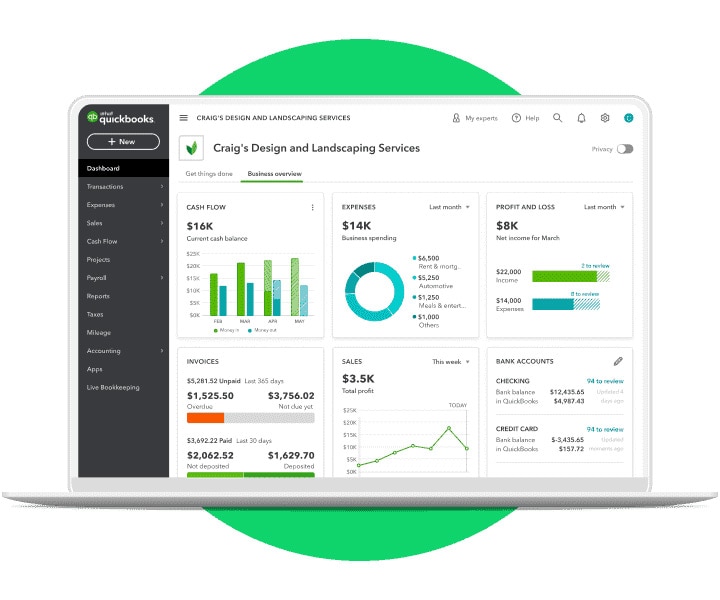
Intuit QuickBooks Accounting Software Pricing

  • QuickBooks Online is the strongest choice for businesses that prioritize reporting depth, accountant collaboration, and ecosystem connectivity. Its Advanced plan, in particular, is engineered for scaling businesses that need workflow automation, custom reporting fields, and multi-location tracking — capabilities that competitors typically offer only at enterprise price points. The sheer number of accountants and bookkeepers who know QuickBooks intimately also reduces your hiring and outsourcing complexity significantly.

Pricing Plans

Plan

Price

Key Inclusions

Simple Start

$35/mo

1 User + Accountant | Income & Expense Tracking | Unlimited Custom Invoices | Insights & Reports | GST/VAT Tracking | 250-Item Chart of Accounts

Essentials

$65/mo

3 Users + Accountant | All Simple Start Features | Employee Time Tracking | Bill & Payment Management | Multi-Currency Support

Plus

$99/mo

5 Users + Accountant | All Essentials Features | Recurring Transactions | Employee Time Tracking | Up to 40 Classes & Locations

Advanced

$235/mo

25 Users + Accountant | All Plus Features | Unlimited Classes & Locations | Workflow Automation | Custom Reporting Fields | Unlimited Chart of Accounts | Online Backup & Restore

30-day free trial on all plans. Pricing and availability vary by country. Discount offers may apply.

  • Income and expense tracking with AI-assisted categorization
  • GST and VAT tracking with automated compliance reporting
  • Bank feed connection with real-time transaction sync
  • Advanced inventory management with cost-of-goods tracking
  • Receipt capture and organization via mobile
  • Workflow automation on the Advanced plan
  • Multi-currency support on Essentials and above
  • 650+ third-party integrations including payroll, POS, and CRM systems

Pros & Cons

  PROS

  CONS

The deepest and most flexible reporting suite in the small business accounting category

Among the highest-priced options in the category, particularly at the Plus and Advanced tiers

Strong integrations across payroll, point-of-sale, and CRM platforms

New users often find the interface dense and initially overwhelming

Excellent multi-currency and inventory tracking for growing businesses

Customer support quality varies significantly by geographic region

The most recognized and accountant-trusted platform globally — reduces outsourcing friction


AI-powered automation substantially reduces manual bookkeeping time


Industries

Startups, Growing SMBs, E-Commerce, Professional Services, Retail, Accountants and Bookkeepers

5. Xero

Xero is a New Zealand-born cloud accounting platform that has built one of the most loyal user bases in the category since its launch in 2006. Now serving over 3.7 million subscribers across 180+ countries, Xero is particularly dominant in the UK, Australia, New Zealand, and Southeast Asian markets — where its clean interface, accurate bank reconciliation engine, and strong multi-currency capabilities have made it the accountant-preferred alternative to QuickBooks. What distinguishes Xero is its commitment to the open accounting ecosystem: with 1,000+ marketplace integrations and an industry-leading API, Xero is the most connected accounting platform available, making it the natural foundation for businesses that depend on a diverse technology stack. Its 2026 AI enhancements — including predictive transaction coding and automated reconciliation suggestions — have further reduced the manual accounting workload for its users.
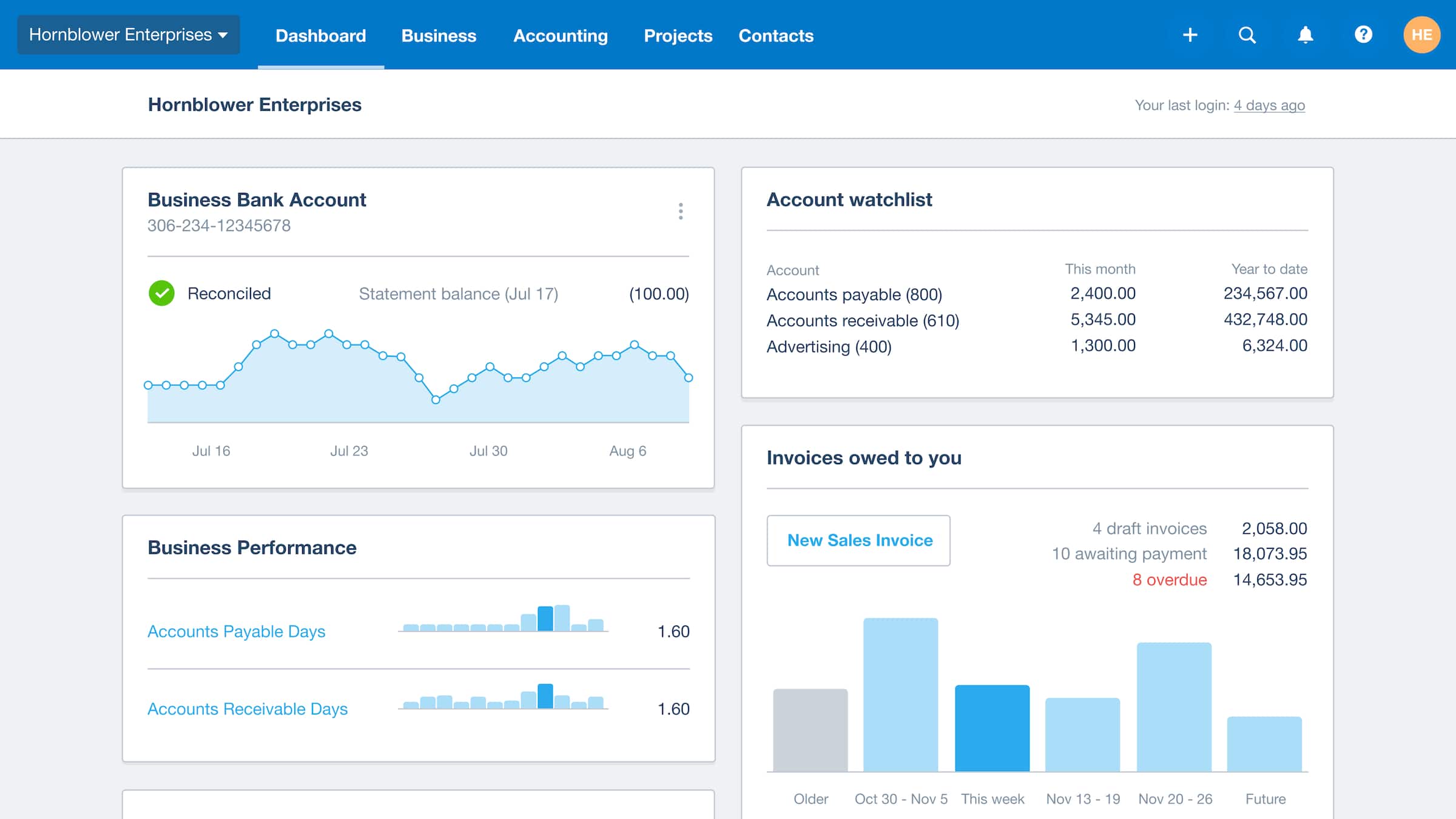
Xero Accounting Software Pricing

Xero is the definitive choice for businesses operating across multiple countries or currencies. Its multi-currency engine handles exchange rate gains and losses automatically, its global compliance tools adapt to local tax regulations in 180+ countries, and its accountant network — Xero’s ‘advisor community’ of over 200,000 certified professionals — means expert support is always within reach. For international e-commerce businesses and globally distributed service companies, Xero provides a clarity of financial visibility that region-specific tools like TallyPrime or Vyapar simply cannot offer.

Pricing Plans

Plan

Price

Key Inclusions

Starter

$29/mo

20 Invoices/Quotes | 5 Bills | Bank Transaction Reconciliation | Receipt & Bill Capture | Cash Flow Snapshot

Standard

$46/mo

All Starter Features | Unlimited Invoices & Bills | Bulk Bank Reconciliation

Premium

$69/mo

All Standard Features | Multi-Currency Support & Exchange Rate Management

Add-Ons

Claim Expenses: from $4/month | Track Projects: from $4/month

30-day free trial on all plans. Pricing and availability vary by country.

Key Features

  • Online invoicing with automated payment reminders and online payment acceptance
  • Bank reconciliation with AI-suggested transaction matching
  • Multi-currency support with automatic exchange rate management (Premium)
  • Business analytics dashboard with cash flow and profitability snapshots
  • Bill management with payment scheduling
  • Expense claims with receipt scanning
  • 1,000+ marketplace integrations through the Xero App Store
  • Project tracking with budget versus actual reporting (add-on)

Pros & Cons

  PROS

  CONS

The best multi-currency and international transaction management in the mid-market segment

Customer support is primarily help-article based — live support options are limited

Accurate, AI-assisted bank reconciliation that reduces manual matching time

Inventory management requires a separate marketplace app rather than a native module

Industry-leading integration marketplace with 1,000+ connected applications

Tax compliance tools for India-specific requirements such as GST are less comprehensive than Zoho Books or TallyPrime

Strong accountant collaboration tools — Xero is widely preferred by accounting firms


Clean, modern dashboard that makes financial health immediately legible


Industries

International Businesses, Startups, Global E-Commerce, Multi-Currency Operations, Accounting Firms

6. Sage

Sage is one of the oldest and most trusted names in business accounting software, with a history stretching back to 1981 and a customer base spanning over 3 million businesses across 23 countries. Unlike the newer cloud-first platforms on this list, Sage offers a deliberate dual-track strategy: Sage Business Cloud Accounting serves small businesses and sole proprietors with a modern, browser-based experience, while Sage 50 — its established desktop platform — serves the more complex needs of small to medium enterprises that require advanced inventory management, serialized asset tracking, job costing, and detailed audit trails. This combination makes Sage uniquely versatile: it is the only platform in this comparison that can serve a sole proprietor’s basic invoicing needs and a 40-user manufacturing enterprise’s compliance requirements with purpose-built solutions for each.

A) Sage Business Cloud Accounting Price

Sage is the correct choice when your business has outgrown basic cloud accounting but is not yet large enough to justify an ERP system. Its Sage 50 desktop platform is particularly strong for manufacturing, construction, job-costing-intensive businesses, and organizations in regulated industries where audit trails, serialized inventory tracking, and formal budgeting are operational requirements rather than nice-to-have features.

Pricing Plans

Plan

Price

Key Inclusions

Cloud Start

$19/mo

Unlimited Sales Invoices | Bank Reconciliation | GST/HST Calculation | English & French Support | Best for Freelancers

Cloud Plus

$43/mo

All Start Features | Advanced Reports | Cash Flow Forecasting | Purchase Invoice Management | Automated Receipt Capture | Best for Small Businesses

Cloud Standard

$63/mo

All Plus Features | Multi-Currency Banking | Exchange Rate Reports | Inventory & Stock Management

50 Pro

$61.92/mo ($625/yr)

Single User | Invoice & Bill Tracking | Purchase Orders | Expense Management | Automated Bank Reconciliation | Reporting

50 Premium

$239.17/mo up to 5 users ($2,391/yr)

1–5 Users | Advanced Budgeting | Serialized Inventory Tracking | Advanced Reporting | Audit Trails

50 Quantum

$452/mo up to 10 users ($4,546/yr)

Up to 40 Users | All Premium Features | Role-Based Permissions | Workflow Management

Notes:

Cloud plans: 3-month free trial for new customers. Sage 50: 30-day trial on Pro and Premium only. Desktop pricing above is for new customers.

Core Features of Sage Accounting

  • Core cloud accounting with bank feeds and reconciliation
  • Advanced budgeting and cash flow forecasting
  • Job costing and project profitability tracking
  • Serialized inventory tracking for manufacturing and distribution
  • Audit trails for compliance and regulatory requirements
  • Multi-currency banking on Cloud Standard and above
  • Payroll integration in supported regions
  • French language support for Canadian businesses

Pros & Cons

  PROS

  CONS

The strongest option for job costing, manufacturing, and production-based businesses

The cloud interface feels less modern and polished compared to Xero, FreshBooks, or Zoho Books

Sage 50 desktop provides enterprise-level features at a mid-market price point

Initial setup and configuration require meaningful time investment, particularly for Sage 50

Multi-entity and multi-currency support for complex business structures

The desktop version requires IT maintenance and is not available on non-Windows operating systems

Audit trail capabilities meet regulated industry compliance requirements


Dual cloud/desktop offering provides flexibility not available from cloud-only competitors


Industries

Manufacturing, Construction, Distribution, NGOs, Professional Services, Mid-Size Enterprises, Regulated Industries

7. Tallyprime

TallyPrime is the most widely deployed accounting software in India, with an installed base of over 7 million businesses across manufacturing, retail, wholesale, distribution, and professional services. Developed by Bangalore-based Tally Solutions — a company that has shaped Indian accounting practices since 1988 — TallyPrime is a primarily desktop-based solution running on Windows, with optional cloud access available through AWS and Azure integrations for businesses that need remote working capability. Its depth of GST compliance features — from e-invoicing and e-way bill generation to GSTR reconciliation and return filing — is unmatched by any other tool in this comparison, and its offline-first architecture means that businesses in areas with unreliable internet connectivity never face disruptions to their accounting operations. TallyPrime 5.0, released in 2025, introduced enhanced AI-assisted data entry and a significantly modernized reporting interface while preserving the familiar navigation that millions of Indian accountants and business owners rely on daily.

TallyPrime Accounting Software Pricing

TallyPrime is the first choice for any Indian business where GST compliance, inventory management, and offline reliability are non-negotiable requirements. No other software in this comparison matches its depth of GST filing automation, e-invoicing compliance, and multi-location inventory tracking for the price. For retailers, distributors, manufacturers, and wholesalers operating in India’s regulatory environment, TallyPrime is not simply a software choice — it is the established industry standard.

Pricing Plans

Plan

Price

Key Inclusions

Silver (Rental)

₹750/mo | ₹2,250/3 months | ₹9,000/year

Single User on a Single PC | All Features Included | E-Invoicing & E-Way Bills | GST Compliance | Banking & Cash Flow | Zero-Cost EMI Available

Gold (Rental)

₹750/mo | ₹2,250/3 months | ₹9,000/year

All Silver Features | Multi-User Access on Multiple PCs | No Limit on Users or Features

Silver (Lifetime)

₹22,500 one-time

Single User | Perpetual License | 1-Year Free TallyPrime Services (TSS) Included

Gold (Lifetime)

₹22,500 one-time

Multi-User | Perpetual License | 1-Year Free TSS Included

Notes:

Prices are exclusive of 18% GST. 7-day free trial available. Discount offers may apply seasonally.

Core Features of TallyPrime

  • GST-compliant invoicing with full tax computation and reporting
  • E-Invoice and e-way bill generation directly from the platform
  • GSTR-1, GSTR-3B, GSTR-2A/2B return filing and reconciliation
  • Multi-currency support for import/export businesses
  • Flexible purchase and sales order management
  • Serial number and batch tracking for inventory
  • Payment QR code and payment link on invoices
  • User management with role-based data security

Pros & Cons

  PROS

  CONS

The deepest GST compliance automation of any tool in this comparison — e-invoicing, e-way bills, and GSTR reconciliation are all native

Automation capabilities are more limited than cloud-native competitors — workflows and reminders require manual setup

Offline-first architecture ensures uninterrupted accounting in areas with poor internet connectivity

Remote access, while possible, requires a paid cloud setup and is not as seamless as true cloud platforms

Highly trusted and widely understood by Indian accountants, CAs, and bookkeepers

The interface, though improved in TallyPrime 5.0, still has a learning curve for users new to Tally’s navigation paradigm

Comprehensive inventory management for retail, wholesale, and distribution businesses


Detailed reporting suite covers every aspect of Indian financial compliance


Industries

Retail, Wholesale & Distribution, Manufacturing, Pharmacies, Indian SMEs, Chartered Accountants, Trading Businesses

8. Vyapar

Vyapar is a billing and accounting application built specifically for India’s micro, small, and medium enterprise (MSME) segment — the tens of millions of shopkeepers, traders, service providers, and small manufacturers who need reliable financial management but cannot justify the cost or complexity of enterprise-grade accounting software. Available as both a Windows desktop application and an Android mobile app with real-time cloud synchronization between both, Vyapar meets Indian small business owners precisely where they are: at their shop counter, on their phone, or at their desk. Its GST compliance tools — including automated e-invoicing, e-way bill generation, and multi-GSTIN management — are comprehensive enough for most MSME regulatory requirements, while its inventory and stock management capabilities serve retail and trading businesses effectively. At a starting price of ₹283 per month, it is the most cost-effective full-featured accounting solution in this comparison.
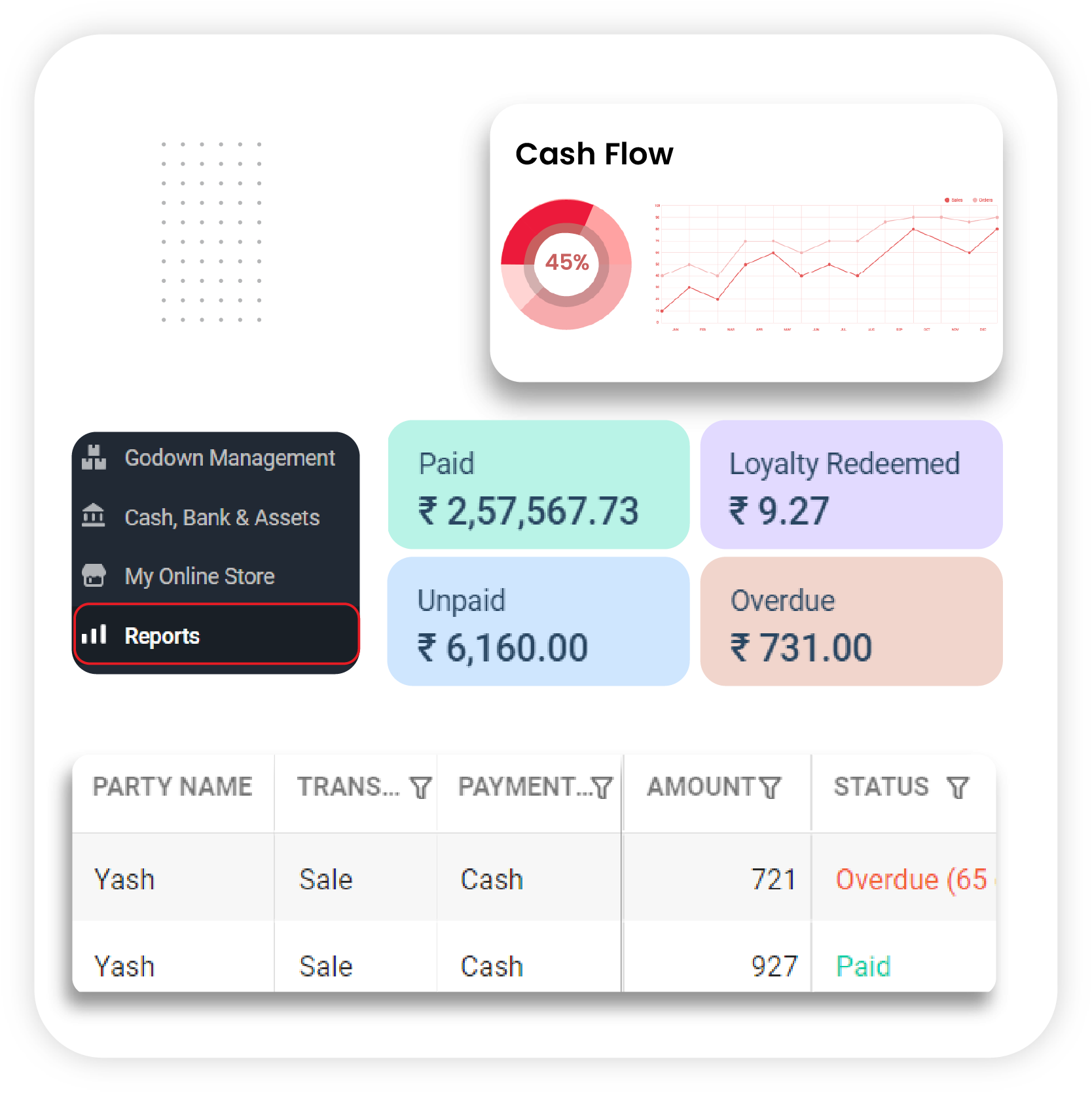
Vyapar Accounting Software Pricing

Vyapar is the ideal first accounting software for Indian small business owners, traders, and shopkeepers who are transitioning from manual registers or basic spreadsheets. Its Android-first design and simple interface eliminate the intimidation factor that causes many small business owners to avoid digital accounting entirely. For businesses that primarily need billing, basic inventory management, and GST compliance without the overhead of a complex cloud platform, Vyapar delivers everything that matters at the lowest total cost of ownership in this list.

Pricing Plans

Plan

Price

Key Inclusions

Silver — Desktop

₹3,399/yr | ₹7,799/3 years

Track Income, Expenses & Cash Flow | Invoices & Quotations | GST Compliance | Full Inventory Management | Excel Import | Purchase & Sales Orders | Auto-Backup | 200 SMS Credits/year

Gold — Desktop

₹3,699/yr | ₹8,199/3 years

All Silver Features | E-Way Bill Generation | Quick Billing Mode | TCS on Invoices | Priority Customer Support

Silver — Mobile

₹699/yr | ₹1,499/3 years

All Silver Features on Android App

Gold — Mobile

₹799/yr | ₹1,699/3 years

All Gold Features on Android App

Silver — Desktop + Mobile

₹3,999/yr | ₹8,699/3 years

Silver Plan on Both Desktop and Mobile

Gold — Desktop + Mobile

₹4,299/yr | ₹8,999/3 years

Gold Plan on Both Desktop and Mobile

Notes:

Pricing and availability may vary by region. Discount offers may apply seasonally.

Core Features of Vyapar

  • Customizable invoice and quotation creation with GST compliance
  • Accounts payable and receivable tracking with party-wise ledgers
  • Full inventory management with stock tracking and low-stock alerts
  • E-invoice and e-way bill generation and management
  • Multi-user access with role-based permissions
  • Real-time sync between desktop and mobile applications
  • Auto-backup for data safety and recovery 
  • Tax calculation for GST, TCS, and TDS

Pros & Cons

  PROS

  CONS

The most affordable full-featured accounting solution in this comparison — outstanding value for Indian MSMEs

Not designed for large businesses, multi-branch enterprises, or complex organizational structures

Simple, intuitive interface designed specifically for non-accountant business owners

Automation and third-party integration capabilities are significantly more limited than cloud competitors

Android mobile app with real-time sync enables accounting from anywhere

No project accounting, time tracking, or multi-currency support for businesses with international operations

Strong inventory, GST compliance, and e-way bill capabilities for the price point


Offline desktop functionality ensures operations continue without internet dependency


Industries

Indian MSMEs, Retail Shops, Traders, Wholesalers, Service Businesses, Small Manufacturers, Pharmacies

9. Busy

BUSY Accounting Software is a comprehensive business accounting platform developed by Focus Softnet, designed specifically for the financial management needs of small and medium-sized Indian businesses — particularly traders, distributors, wholesalers, and businesses with heavy GST compliance requirements. Available in both desktop (perpetual license) and cloud (subscription) versions, BUSY offers a rare combination of familiar offline reliability and modern cloud accessibility within the same platform family. Its GST management capabilities are among the most thorough in the Indian market, covering automatic e-invoice generation, e-way bill creation, multi-GSTIN management, and real-time GSTR reconciliation. The BUSY mobile application extends accounting access to smartphones for on-the-go monitoring. Despite its somewhat dated interface, BUSY’s feature depth — particularly for inventory management across multiple warehouses and godowns — makes it a consistently strong choice for the distribution and wholesale segments of the Indian economy.

BUSY is the strongest choice for Indian traders, distributors, and wholesalers that operate with complex inventory structures — multiple godowns, serialized products, or high transaction volumes — and need comprehensive GST automation without transitioning to a purely cloud-based system. Its perpetual licensing model provides long-term cost certainty that subscription-based tools cannot offer, making it particularly attractive for businesses that prefer to avoid recurring software costs.

Pricing Plans

Plan

Price

Key Inclusions

Express (Desktop)

₹0 — Free

Invoices, Receipts, Inventory, JVs | Multi-Company Accounting | MIS Reports | P&L and Balance Sheet

Basic (Desktop)

₹9,999 single user | ₹24,999 multi-user (one-time)

Unlimited Invoices & Billing | Ledger Reconciliation | Multi-Godown Inventory | Receivables & Payables | Data Security

Standard (Desktop)

₹14,999 single | ₹39,999 multi (one-time)

All Basic Features | Auto E-Invoice & E-Way Bill | GSTR 1/3B/2A/2B Auto Download & Reconciliation

Enterprise (Desktop)

₹19,999 single | ₹57,999 multi (one-time)

All Standard Features | Voucher/Master Approval Workflow | Multi-GSTIN Management

Cloud Access Edition

₹10,800/yr (₹4,500 quarterly)

Cloud-hosted access | Additional company: ₹7,200/yr

Cloud SQL Edition

₹16,800/yr (₹5,250 quarterly)

SQL-based cloud platform | Additional company: ₹13,200/yr

Mobile App

₹2,499/yr (1–4 devices) | ₹1,999/yr (5+ devices)

Mobile accounting and monitoring

Notes:

Prices are exclusive of GST. Free trial available. Discount offers may apply.

Core Features of Busy

  • Complete GST accounting with e-invoice and e-way bill automation
  • Multi-company accounting management from a single installation
  • Multi-godown inventory tracking with serialized and batch support
  • GSTR reconciliation for 2A, 2B, 3B, and GSTR-1
  • Receivables and payables management with aging reports
  • Voucher and master approval workflow (Enterprise plan)
  • MIS reporting and financial dashboard
  • Both desktop and cloud deployment options

Pros & Cons

  PROS

  CONS

Best-in-class inventory and warehouse (godown) management for Indian traders and distributors

The interface is visually dated compared to modern cloud-first competitors and can be unintuitive for new users

Auto GST reconciliation and e-invoice generation are native and highly reliable

Third-party application integrations are limited — BUSY works best as a standalone platform

Both desktop perpetual and cloud subscription models available — exceptional flexibility

Customer support response times can slow during peak filing periods such as month-end and quarter-end

Express (free) plan provides meaningful functionality for basic accounting needs


Strong for businesses managing multiple companies or GSTINs from a single system


Industries

Indian Traders, Wholesalers, Distributors, Retailers, Manufacturers, Multi-Branch Businesses, CAs

10. Wave

Wave is a cloud-based accounting platform that has built a devoted global following with a single compelling proposition: professional-grade invoicing, bookkeeping, and financial management at zero cost. Founded in 2010 in Toronto and acquired by H&R Block in 2019, Wave serves over 500,000 small businesses and freelancers who need a credible alternative to expensive accounting subscriptions — particularly in their early business stages when cash flow is tight and every recurring cost matters. Its free Starter plan includes unlimited invoicing, expense management, bookkeeping records, and cash flow management — features that competing platforms charge $15–30 per month to unlock. The Pro plan adds automatic bank transaction import and reconciliation for $16 per month, making Wave the most cost-effective fully functional accounting solution in this comparison. While Wave lacks the inventory management, payroll integration, and advanced reporting depth of QuickBooks or Zoho Books, it is an entirely capable platform for freelancers, solopreneurs, and small service businesses whose primary accounting needs are invoicing, expense tracking, and basic financial reporting.

Wave Accounting Software Pricing

Wave is the clear first choice for any freelancer, solopreneur, or very early-stage startup that needs professional accounting without a recurring software cost. Its free plan is genuinely functional — not a stripped demo — and provides everything a single-person service business needs to operate professionally. As your business grows beyond Wave’s capabilities, its data export makes migration to QuickBooks or Xero straightforward.

Pricing Plans

Plan

Price

Key Inclusions

Starter

$0/month (Free)

Unlimited Estimates | Invoice, Bill & Bookkeeping Management | Mobile Invoicing | Cash Flow Management | Customer Dashboard

Pro

$16/month ($170/year)

All Starter Features | Auto-Import Bank Transactions | Auto-Merge & Match Transactions | Unlimited Receipt Capture | Automated Late Payment Reminders

Add-Ons

Receipt Capture (Starter Plan): $8/month or $72/year | Receipt Capture (Pro Plan): included

Notes:

Pricing and availability vary by country. Discount offers may apply.

Core Features of Wave

  • Unlimited invoice creation with professional templates and online payment acceptance
  • Expense tracking and categorization for accurate P&L reporting
  • Cash flow management with clear income and expense visualization
  • Bank reconciliation with automatic transaction import (Pro)
  • Receipt scanning and digital storage via mobile app
  • Customer management dashboard for client payment tracking
  • GST compliance tools for applicable regions
  • Accessible from any device via browser or mobile app

Pros & Cons

  PROS

  CONS

The most generous free plan in the accounting software category — genuinely functional for solo professionals

No inventory, project management, or payroll features in most regions — limiting for product-based businesses

Clean, approachable interface that makes bookkeeping accessible to non-accountants

Advanced reporting and automation capabilities are minimal compared to paid competitors

Receipt scanning and online payment acceptance even on the free tier

Not designed to scale with growing businesses beyond the small freelancer or solopreneur stage

Cloud access from any device — no installation or maintenance required


Ideal as a zero-cost entry point for businesses testing digital accounting for the first time


Industries

Freelancers, Solopreneurs, Early-Stage Startups, Independent Contractors, Micro-Businesses, Creative Professionals

If you’re looking for region-specific solutions, explore the best accounting software in India.

Cheap Small Business Accounting Software Comparison & Rating

SoftwareOverallEase of UseValueFeaturesSupportIdeal For
Kashoo4.24.44.24.14Small Remote Teams, Mobile-First Users
FreshBooks4.64.94.44.54.6Freelancers, Coaches, Agencies
QuickBooks4.74.64.54.94.7Growing Startups, Expanding Businesses
Xero4.64.54.44.84.6International, Multi-Currency Operations
Sage4.54.44.34.84.5Medium Businesses, Manufacturing
TallyPrime4.54.64.54.44.3Retail, GST-Heavy, Inventory-Focused
Vyapar4.44.64.74.34.2Indian MSMEs and Shop Owners
BUSY4.44.34.64.24.1Traders and Wholesalers
Wave4.34.753.84Freelancers and Solopreneurs
Zoho Books4.84.74.94.84.7SMEs, Startups, Indian Businesses

Tips for Choosing the Right Best Accounting Software

With ten strong platforms evaluated in this guide, narrowing the field to the right choice for your business requires a structured approach. The five tips below provide a practical decision-making framework, regardless of your industry or business size.

  1. Define Your Non-Negotiable Requirements First

Before comparing any platforms, build a clear list of the features your business genuinely cannot operate without — GST e-invoicing, multi-currency support, inventory management, time tracking, or payroll integration, for example. Eliminate every platform that does not natively support these requirements, then evaluate the remaining shortlist on value, usability, and scalability.

  1. Set a Realistic Total Cost Budget

Accounting software costs include more than the base subscription fee. Factor in add-on charges for extra users, additional GSTINs, payroll employees, and advanced features. A platform that appears affordable at entry-level pricing may become expensive as your business scales. Model costs at your current size, at 2x growth, and at 5x growth before committing.

  1. Shortlist and Genuinely Compare Three Platforms

Do not evaluate platforms in isolation — always compare at least three options side by side against your specific requirements. Use this guide’s comparison tables as a starting point, then test each shortlisted platform against a real transaction scenario from your business.

  1. Use Free Trials on Real Business Data

Most platforms in this guide offer 14–30 day free trials or, in Wave’s case, a permanently free tier. Use the trial on your actual business operations — import real invoices, connect your actual bank feed, generate the financial reports you actually need. A platform that performs beautifully on sample data but struggles with your real transaction patterns is the wrong choice.

  1. Evaluate Your Accountant or CA’s Preference

If you work with an external accountant or Chartered Accountant, ask them which platforms they are most comfortable with before making a final decision. Choosing a platform your accountant does not know well creates training friction and potentially higher professional service costs. QuickBooks, Xero, and Zoho Books have the largest accountant user communities in India.

What to Consider Before making a Decision

Beyond basic feature comparison, the following six factors determine whether an accounting platform delivers lasting value or becomes a source of operational friction as your business evolves.

Integrations

Choose a platform that connects natively with the other tools your business depends on — your bank, e-commerce platform, CRM, payroll system, and payment gateway. Every integration gap is a potential manual data entry task that compounds over time.

Business Type and Size Alignment

Match the software’s design intent to your business reality. A platform built for freelancers will frustrate a 50-person distributor, and an enterprise tool will overwhelm a sole proprietor. Use this guide’s ‘Best For’ classifications as your primary filter.

Total Cost of Ownership

Evaluate the full cost picture: base subscription, add-on fees, user costs, and any professional services required for implementation. Use free trials to verify that the features you need are available at the tier you can afford — not locked behind a more expensive plan.

Cloud vs Desktop Deployment

Cloud platforms offer flexibility, automatic updates, real-time collaboration, and no infrastructure maintenance. Desktop platforms — particularly TallyPrime and Sage 50 — offer offline reliability, data sovereignty, and in some cases, perpetual licensing that eliminates recurring subscription costs. Your choice should reflect your connectivity environment and data control preferences.

Ease of Use and Adoption

The best accounting software is the one your team will actually use consistently. A technically superior platform that generates adoption resistance will deliver less value than a simpler tool used correctly every day. Prioritize intuitive design, quality onboarding resources, and accessible customer support.

Scalability and Long-Term Fit

Your business will grow. Choose a platform with a clear upgrade path that can accommodate more users, more transactions, more complex reporting, and more regulatory requirements as your scale increases — without requiring a disruptive migration to an entirely new system.

Types of Accounting Software

Accounting software is categorized both by how it is deployed and by the functional breadth it offers. Understanding these distinctions helps you identify which category of tool best matches your current and anticipated future needs.

By Deployment Model

  • On-Premises (Desktop) Accounting Software: Installed locally on company hardware, offering full data control, offline functionality, and often perpetual licensing. Examples include TallyPrime, Sage 50, and BUSY Desktop. Suited for businesses with data sovereignty requirements or unreliable internet connectivity.
  • Cloud-Based Accounting Software: Hosted and accessed via browser or mobile app, providing automatic updates, remote access, real-time collaboration, and typically a subscription pricing model. Most platforms in this guide — Zoho Books, FreshBooks, QuickBooks, Xero, Wave, and Kashoo — are cloud-native.

Based on Functional Capabilities

Accounting software can also be categorized based on functional capabilities:

  • Basic Accounting Software: Designed for simple bookkeeping needs, these tools are ideal for freelancers or micro-businesses. They handle basic tasks like invoicing, expense tracking, and report generation.
  • Small Business Accounting Software: Tailored for SMEs, these solutions include features like payroll processing, inventory management, and tax preparation — providing a more comprehensive financial toolkit.
  • Enterprise Accounting Software: Built for large organizations, enterprise-grade software handles complex needs like multi-currency support, consolidation of financial data, and advanced reporting.
  • Industry-Specific Accounting Software: Some industries — like hospitality, construction, or healthcare — have unique accounting requirements. These tools are customized with features that match your business model.
  • Integrated Accounting Software: These platforms combine accounting functions with other business tools like CRM, project management, and HR systems, creating a unified workflow across departments. 

Essential Features to Look for in Accounting Software

  • Basic Accounting Software: Covers invoicing, expense tracking, and fundamental reporting for freelancers and micro-businesses. Wave and Kashoo serve this segment effectively.
  • Small Business Accounting Software: Adds payroll, inventory management, tax compliance, and multi-user access for growing SMEs. Zoho Books, FreshBooks, and Vyapar fall in this category.
  • Enterprise Accounting Software: Handles multi-entity consolidation, complex audit trails, role-based access, and advanced compliance for large organizations. Sage 50 Quantum and QuickBooks Advanced address this tier.
  • Industry-Specific Accounting Software: Customized with features relevant to specific sectors such as construction (job costing), healthcare (fund management), or Indian GST-heavy businesses (TallyPrime, BUSY, Vyapar).

Integrated Accounting Platforms: Combine accounting with CRM, project management, payroll, and inventory into a unified business management system. Zoho Books — as part of the broader Zoho Suite — is the strongest example in this guide.

Essential And Advanced Features Guide

Double-Entry Accounting: Ensures mathematical accuracy and clean record-keeping through balanced debit/credit entries — the foundation of professional financial management.

Accounts Payable and Receivable: Tracks money owed to suppliers and money owed by customers, with aging reports to manage cash flow proactively.

Invoicing: Creates professional, branded invoices, tracks payment status, and sends automated payment reminders to reduce outstanding receivables.

Financial Reporting: Generates P&L statements, balance sheets, and cash flow reports — the essential documents for business performance review and tax compliance.

Bank Reconciliation: Automatically matches transactions from connected bank feeds against bookkeeping records, identifying discrepancies before they become problems.

GST/Tax Compliance: Calculates applicable tax on transactions, generates compliant invoices, and supports return filing — essential for Indian businesses under GST.

Mobile Access: Enables financial management from smartphones and tablets — critical for business owners who work across multiple locations.

Multi-User Access and Collaboration: Supports accountants, business owners, and team members accessing the same platform with role-appropriate permissions.

Advanced Features – Differentiator for Growing Business

  • Project Management Integration — Tracks project budgets, billable time, and profitability for service-based businesses.
  • Multi-Currency Support — Handles transactions in multiple currencies with automatic exchange rate updates for international operations.
  • Workflow Automation — Reduces manual work through rule-based automation for invoicing, approvals, reminders, and reporting.
  • Vendor and Procurement Management — Organizes supplier details, purchase orders, and procurement workflows.
  • CRM and ERP Integration — Connects financial data to client management and operational systems for a unified business view.
  • AI-Powered Insights — Delivers predictive cash flow forecasting, anomaly detection, and intelligent transaction categorization.

Best Accounting Software by Business Situation

Business Type / Need

Recommended Platform

Primary Reason

Freelancers and Independent Consultants

FreshBooks, Wave

Best invoicing, time tracking, and zero-cost entry point

Technology Startups

QuickBooks Online, Xero

Scalable architecture, strong integrations, accountant familiarity

Indian SMEs (Service-Based)

Zoho Books

GST automation, Zoho ecosystem, best value in the segment

Indian MSMEs and Shop Owners

Vyapar, TallyPrime

Affordability, offline reliability, MSME-specific design

E-Commerce and Inventory Businesses

TallyPrime, Zoho Books

Inventory management, GST e-invoicing, multi-location tracking

Service Agencies and Consultancies

FreshBooks, Zoho Books

Project billing, time tracking, and client management

NGOs and Non-Profit Organizations

Sage, QuickBooks

Fund accounting templates and compliance reporting

Multi-Branch or International Companies

Xero, QuickBooks

Multi-currency, multi-entity, and global compliance strength

Traders, Wholesalers, Distributors

BUSY, TallyPrime

Multi-godown inventory, GST reconciliation, high-volume billing

Businesses Needing a Free Solution

Wave

Best-in-category free plan with professional invoicing

Future Trends in Accounting Software (2027 & Beyond)

The accounting software industry is in the midst of its most significant transformation since the shift from desktop to cloud. The next wave of innovation — already beginning to emerge in 2026 — will be driven by artificial intelligence, regulatory automation, and the convergence of accounting with broader business management platforms. Businesses that adopt these capabilities early will gain meaningful advantages in financial efficiency, compliance accuracy, and strategic decision-making.

AI-Driven Zero-Touch Accounting

The most profound shift underway is the emergence of accounting platforms that operate largely autonomously. AI engines — already in early deployment in platforms like QuickBooks, Zoho Books, and Kashoo — will learn a business’s transaction patterns, automatically categorize every income and expense entry, reconcile accounts daily, and flag anomalies without human intervention. By 2027, manual bookkeeping for well-connected businesses will be largely optional rather than necessary.

Automated Tax Compliance and Self-Filing

Tax regulatory bodies globally — including India’s GST Network — are moving toward mandating real-time transaction reporting rather than periodic filing. In response, accounting platforms will increasingly offer direct compliance integration: transactions will be validated against tax rules at the point of entry, GST returns will be prepared and filed automatically, and compliance updates will be applied to the software before regulatory deadlines. The manual, quarterly compliance scramble will become obsolete.

Mobile-First and Voice-Activated Accounting

With smartphone penetration accelerating across India and emerging markets, accounting platforms will increasingly be designed for mobile-first operation — enabling business owners to raise invoices, approve payments, review daily cash positions, and file returns entirely from a smartphone. Voice-activated accounting commands, already emerging in beta features across several platforms, will eliminate even the need for manual screen navigation for common tasks.

Tighter Ecosystem Integration

Accounting platforms will deepen their connections with adjacent business systems — CRM, HRMS, POS, and ERP — to the point where financial data flows automatically across the entire business infrastructure. A sale recorded in a POS system will instantly update accounting, inventory, and cash flow dashboards. A project completed in a project management tool will automatically generate an invoice. The era of isolated financial records will give way to fully connected business intelligence.

Final Thoughts

After a thorough evaluation of all 10 accounting software platforms across features, pricing, usability, target market fit, and 2026 capability updates, the expert recommendations below represent the strongest choices for each business scenario. Use these alongside the detailed profiles above for a confident, well-informed final decision.

Award

Best Platform

Why It Wins

Best Overall

Zoho Books

Complete GST automation, scalable pricing from free to enterprise, strong Zoho ecosystem integration, and the most comprehensive feature set for Indian businesses.

Best Free Plan

Wave

The only platform with a permanently free, genuinely functional plan covering invoicing, bookkeeping, and cash flow management — ideal for solo professionals.

Best for Growing Startups

QuickBooks Online

Advanced reporting, multi-currency support, 650+ integrations, and workflow automation that scales from 1 to 25 users without a platform change.

Best for Indian Retail & Inventory

TallyPrime

Unmatched GST compliance depth, offline reliability, and inventory management for the Indian retail, wholesale, and distribution market.

Best for Freelancers

FreshBooks

The most intuitive interface in the category, combined with superior time tracking, project billing, and client portal functionality.

Best for International Operations

Xero

Industry-leading multi-currency management, 1,000+ integrations, and strong global compliance tools across 180+ countries.

Best for Indian MSMEs

Vyapar

The most affordable fully functional accounting solution in India — purpose-built for the MSME segment with GST compliance and offline capability.

Best Desktop Platform

TallyPrime / Sage 50

TallyPrime leads for Indian compliance and inventory; Sage 50 leads for manufacturing, job costing, and audit trail requirements.

FAQ: Accounting Software for Small Businesses

FreshBooks, QuickBooks Online, and Wave are among the most user-friendly accounting platforms for small businesses. These tools feature intuitive interfaces, minimal technical jargon, and guided workflows — making them ideal for non-accountants and solopreneurs.


They avoid complex financial terminology like “accounts receivable” or “general ledger,” focusing instead on simple, actionable tasks such as invoicing, expense tracking, and payment management.

Accounting software streamlines record-keeping by eliminating repetitive data entry. Once you create a customer, vendor, or product record, the system stores it for future use.

For example:

    • You can store extra details like a customer’s birthday or “customer since” date.
    • Product records can include inventory levels, pricing, and reorder points.
    • Transactions automatically pull from these records, reducing manual input and errors.

This not only saves time but also helps maintain consistency and accuracy in your financial data.


Most small business accounting platforms support the following transaction types:

    • Invoices
    • Bills
    • Estimates
    • Payments

Advanced options like Xero and Zoho Books offer additional forms such as:

    • Credit notes
    • Purchase orders
    • Sales receipts
    • Statements

These platforms provide customizable templates so you can easily fill in details using drop-down lists and pre-populated fields.

Once a transaction is completed, you have several options:

  • Save as draft or final version
  • Print or email directly to clients
  • Attach payment instructions (e.g., credit card or bank transfer)
  • Generate PDFs
  • Record payments received
  • Set up recurring invoices
 

Some platforms integrate with payment processors, allowing customers to pay directly from the invoice.

Yes. Most platforms allow you to:

    • Track and categorize expenses
    • Upload digital receipts (via smartphone camera)
    • Use OCR (Optical Character Recognition) to extract key info like amount, date, and vendor
    • Create expense reports

QuickBooks Online and Xero even auto-fill expense forms based on uploaded receipts, saving you time and reducing manual entry errors.

Yes, connecting your bank accounts and credit cards to your accounting software is highly recommended.

Benefits:

  • Real-time balance visibility
  • Automatic transaction imports
  • Easier reconciliation
  • Accurate categorization (many platforms auto-categorize entries)

You can also:

    • Match transactions (e.g., invoice and payment)
    • Split transactions across categories
    • Add notes or adjust incorrect classifications

This helps ensure accurate reporting and simplifies tax preparation.

Reports give you insights into your financial health and operational performance. There are two main types:

A. Business Owner-Friendly Reports:

    • Sales Tax Owed
    • Profitability Analysis
    • Customer Payment History
    • Top-Selling Products/Services
    • Outstanding Invoices

These help you make informed decisions about pricing, expenses, and growth opportunities.

B. Standard Financial Reports:

    • Balance Sheet
    • Profit and Loss Statement
    • Cash Flow Statement
    • Trial Balance

These are essential when applying for loans or attracting investors. While the software can generate them, interpretation may require an accountant or financial expert.

Yes, most modern accounting platforms offer mobile apps that let you:

    • Create and send invoices
    • Record and track expenses
    • Take photos of receipts
    • View dashboards and key metrics
    • Accept payments
    • Manage customer and vendor records

While full reporting and advanced features are better suited for desktop, mobile apps are great for staying on top of day-to-day finances while on the go.

Support varies by platform, but common offerings include:

    • Live chat and email support
    • Phone assistance during business hours
    • Help articles and searchable knowledge bases
    • Context-sensitive guidance within the app

Premium support options:

    • QuickBooks Live: Offers bookkeeping support from certified professionals
    • Wave Advisors: Provides fee-based bookkeeping and coaching

These services can help with setup, categorization, month-end closing, and preparing for tax season.

Your choice depends on your specific needs:

 
Feature
Best For
Recommended Platforms
Ease of Use
Beginners, freelancers
FreshBooks, Solopreneur
Inventory Tracking
Retailers, resellers
QuickBooks Online, Zoho Books
Mobile Access
On-the-go entrepreneurs
Xero, Patriot Software
Advanced Features
Growing businesses
QuickBooks Online, Xero
Free Option
Budget-conscious users
Wave

Try free trials or demos before committing to ensure the software fits your workflow.