
 Written by
 Law firm accounting software helps lawyers track client funds, bill accurately, and stay compliant with state bar rules. General business accounting tools often miss key legal requirements. This guide ranks the top 10 law firm accounting software options for 2026. Each pick includes core features, pricing, and who it serves best. Use this guide to shortlist the right legal billing software for your firm size and budget.
Table of Contents
ToggleWhy Law Firms Need Specialized Accounting Software
Client funds and firm funds must stay separate. This rule is called trust accounting. Most states require lawyers to follow IOLTA rules for client trust accounts. Breaking these rules can lead to discipline or even disbarment. Generic accounting tools rarely support three-way trust reconciliation. Trust accounting software builds this compliance in from the start. It also links billable time directly to invoices. This reduces lost revenue and billing errors.
Quick Comparison of 10 Best Law Firm Accounting Software
Compare starting prices and trust accounting support at a glance.
Software | Best For | Starting Price | Trust Accounting |
Clio Manage | Firms wanting deep integrations | $89/user/mo | Yes, three-way reconciliation |
CosmoLex | Replacing QuickBooks entirely | $99/user/mo | Yes, full general ledger built in |
CARET Legal | Firms wanting email-to-matter sync | Custom quote | Yes, native trust ledger |
Tabs3 Financials | Stability and proven compliance | Custom quote | Yes, with A/P and general ledger |
PCLaw | Desktop-based trust control | $39/user/mo | Yes, combined business and trust ledgers |
TimeSolv | LEDES billing and freelance lawyers | $44/user/mo | Yes, native trust accounting |
MyCase | Easy setup for small firms | $39/user/mo | Add-on, starts at $39/mo |
Bill4Time | Dedicated billing with QuickBooks sync | $39/user/mo | Yes, IOLTA-compliant |
Rocket Matter | Automated time capture | $49/user/mo | Yes, with automatic transfers |
LeanLaw | Firms staying inside QuickBooks Online | $55/user/mo | Yes, three-way reconciliation |
Prices shown are per user, per month, and reflect published 2026 starting rates. Vendors update pricing often, so confirm current rates before you buy.
Quick List: The Top 10 Law Firm Accounting Software for 2026
- Clio Manage
- CosmoLex
- CARET Legal
- Tabs3 Financials
- PCLaw
- TimeSolv
- MyCase
- Bill4Time
- Rocket Matter
- LeanLaw
Overview of the 10 Best Law Firm Accounting Software for 2026 — Reviewed & Tested
1. Clio Manage

Best for: Growing firms that want one platform with deep integrations.
Clio Manage is the most widely used legal practice management platform. It pairs case management with billing, time tracking, and trust accounting. Clio Accounting launched in February 2026 as an add-on. It adds a general ledger, so firms can skip QuickBooks for daily bookkeeping. Clio connects with more than 250 third-party legal tools. Pricing starts near $89 per user, per month, for plans with full trust accounting. New users may face a learning curve during setup.
Key Features
- Trust ledger with three-way reconciliation
- Clio Accounting add-on (cash-basis, launched 2026)
- 250+ app integrations, the largest ecosystem in legal software
- Mobile billing and a secure client portal
Pros
- The largest integration ecosystem in legal software, with 250+ connected apps
- Strong trust accounting with reliable three-way reconciliation
- Scales well as a firm adds attorneys, matters, or locations
Cons
- Steeper learning curve than MyCase or Smokeball
- Pricing climbs quickly once add-ons and extra users are included
- Clio Accounting supports cash-basis bookkeeping only as of 2026
2. CosmoLex
Best for: Firms that want to drop QuickBooks completely.
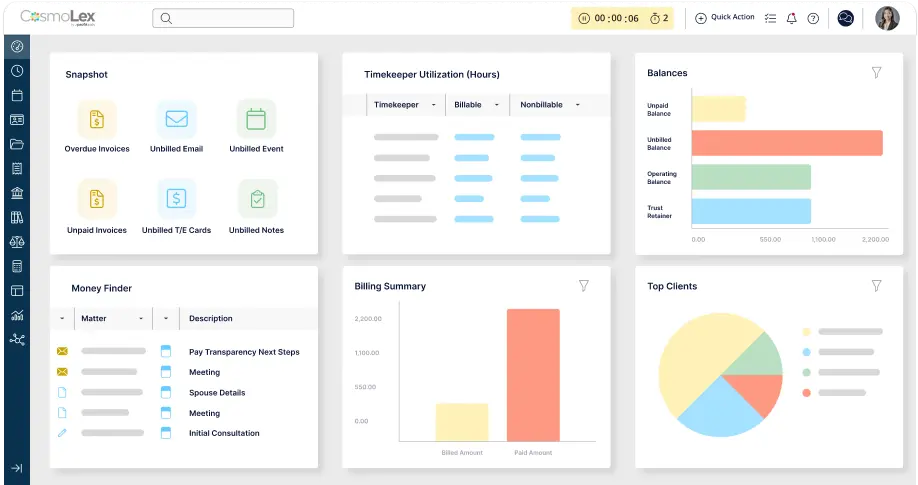
CosmoLex bundles full general ledger accounting into one legal platform. Firms do not need QuickBooks or any outside accounting software. It includes trust accounting, time tracking, billing, and basic practice management. Plans start at about $99 per user, per month. CosmoLex suits firms that want trust compliance depth without juggling separate tools.
Key Features
- Built-in general ledger, no QuickBooks required
- Three-way trust reconciliation with audit safeguards
- Compliance calendar for bar deadlines
- Document management and a client portal
Pros
- Built-in general ledger removes the need for a separate QuickBooks subscription
- Comprehensive, automated three-way trust reconciliation
- Clients respond well to the document-sharing client portal
Cons
- Interface looks dated next to Clio or MyCase
- Smaller integration ecosystem since CosmoLex builds features in rather than connecting out
- Some users report rising costs and slower support after the initial sale
3. CARET Legal
Best for: Firms that want email and accounting tied to every matter.
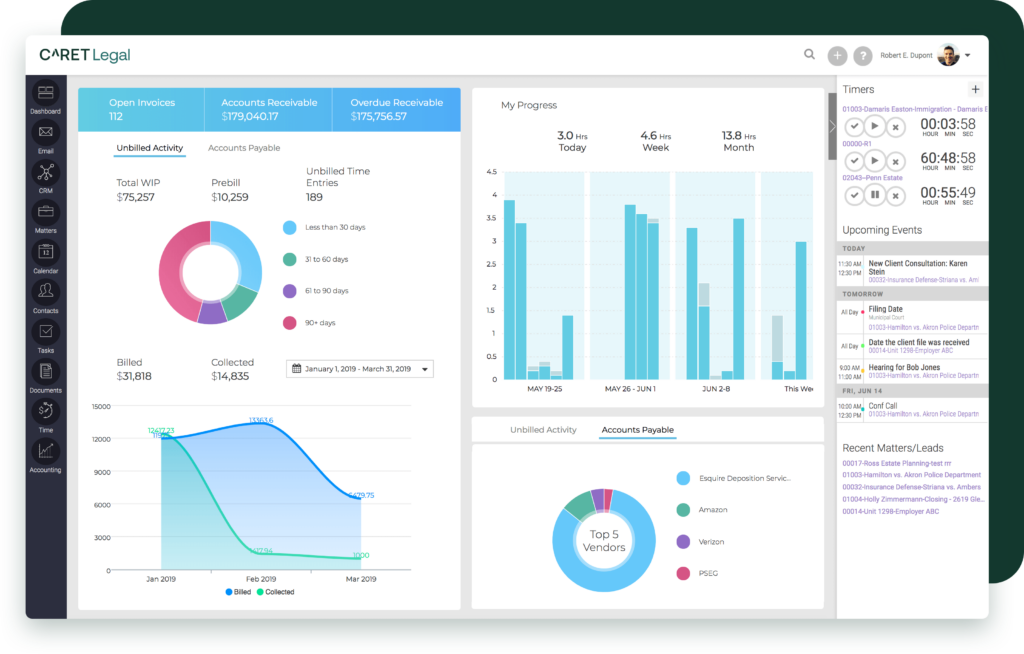
CARET Legal, formerly known as Zola Suite, combines case management with built-in accounting. Firms manage billing, trust funds, and daily cash flow in one system. Bi-directional email integration ties messages to the right matter automatically. Reporting tools track productivity, time entries, and case bottlenecks. Pricing is custom, so firms should request a quote based on size and needs.
Key Features
- Native trust and operating account tracking
- Bi-directional email-to-matter integration
- Encrypted client portal for secure sharing
- Workflow automation for intake and litigation steps
Pros
- Bi-directional email integration keeps matter communication organized automatically
- Strong financial reporting and dashboards for tracking productivity
- Workflow automation handles intake and litigation follow-ups well
Cons
- Some standard features found in other platforms are missing
- CRM stages cannot be customized to match a firm’s sales process
- Support is sometimes outsourced, leading to slower routine tickets
4. Tabs3 Financials
Tabs3 Financials is a dedicated accounting suite built for law firms. It covers trust accounting, accounts payable, and the general ledger. The product has served the legal industry for decades. Firms can choose cloud, hosted, or on-premises deployment. Tabs3 pairs with Tabs3 Billing and PracticeMaster for full practice management.
Key Features
- General ledger, accounts payable, and trust accounting in one suite
- Cloud, hosted, or on-premises deployment options
- Built-in bank reconciliation tools
- Pairs with Tabs3 Billing and PracticeMaster for case management
Pros
- Decades of legal-specific reliability and bar-compliant trust accounting
- Flexible deployment: cloud, hosted, or on-premises
- Customizable reports that save time on routine reconciliation
Cons
- Interface feels outdated next to newer cloud-native platforms
- Only one person can process billing at a time, which can slow larger teams
- Steeper setup process than simpler, single-purpose billing tools
5. PCLaw
Best for: Firms that want desktop-based control over trust funds.
PCLaw has supported law firm accounting for more than 30 years. LexisNexis and LEAP now jointly develop the platform. It combines business accounting and trust accounting in a single ledger system. PCLaw centralizes matter data, time tracking, billing, and bank reconciliation. The software runs on Windows desktops or local servers, and it does not run natively on Mac computers. Pricing starts near $39 per user, per month. Firms that want remote access often pair PCLaw with third-party cloud hosting.
Key Features
- Combined business and trust account ledgers
- Decades of legal-specific development history
- Strong matter-level financial reporting
- Desktop-based; Windows only, with optional cloud hosting
Pros
- Mature, combined business and trust accounting in a single ledger system
- Strong matter-level reporting trusted by firms for over 30 years
- On-premises hosting gives firms full control over where data lives
Cons
- Desktop and Windows only, with no native Mac support
- No built-in online payment processing or Zapier integration
- Interface can feel unintuitive and outdated to new users
6. TimeSolv
Best for: Freelance lawyers and firms that bill insurance clients.
TimeSolv focuses on time tracking, billing, and trust accounting. The platform supports LEDES billing, a format many insurance clients require. Freelance lawyers and small firms use TimeSolv for clean, fast invoicing. Plans start around $44 per user, per month, for one to four users. TimeSolv syncs with QuickBooks Online for full bookkeeping.
Key Features
- Native trust accounting and LEDES billing support
- Time tracking with mobile apps
- QuickBooks Online sync for the general ledger
- Built for freelance and small-firm billing workflows
Pros
- Clean, fast invoicing with customizable templates
- Trust accounting that meets bar compliance requirements
- Mobile app supports offline time tracking
Cons
- Reporting options lack deeper customization
- Some third-party integrations are more limited than competitors
- A few long-term users report rising subscription costs over time
7. MyCase
Best for: Solo attorneys and small firms that want an easy setup.
MyCase pairs practice management with automated invoicing and financial dashboards. The platform offers transaction matching to speed up reconciliation. Real-time analytics show firm performance at a glance. Core plans range from about $39 to $119 per user, per month. An accounting add-on with trust features starts near $39 per month.
Key Features
- Automated invoicing and transaction matching
- Real-time financial dashboards
- Accounting add-on for trust tracking
- Fast onboarding, well suited to small firms
Pros
- Easy to learn, with a friendly interface for non-technical staff
- Automated invoicing and transaction matching save admin time
- Lower entry price than several full-accounting competitors
Cons
- Full trust accounting requires a separate paid add-on
- Advanced reporting is lighter than CosmoLex or Clio at higher tiers
- Deeper LEDES billing support is limited compared to TimeSolv or Clio
8. Bill4Time
Best for: Firms that already use separate practice management software.
Bill4Time is a dedicated time and billing tool for legal professionals. It includes trust accounting for IOLTA compliance and editable prebills. The platform integrates with QuickBooks for full bookkeeping. Plans start at about $39 per user, per month.
Key Features
- IOLTA-compliant trust accounting
- Editable prebills and expense tracking
- QuickBooks integration for bookkeeping
- Client portal with online payment options
Pros
- Simple, fast setup compared to larger practice management suites
- Editable prebills make last-minute invoice corrections easy
- Reviewers consistently praise responsive customer support
Cons
- No direct connection to online bank feeds
- Retainer handling and invoice formatting have some limitations
- Lacks the deeper practice management tools found in all-in-one platforms
9. Rocket Matter
Best for: Firms that want automated time capture and LEDES billing.
Rocket Matter is part of the ProfitSolv family of legal software. It covers time tracking, billing, and trust accounting in one dashboard. The Essentials plan starts at $49 per user, per month. The Elite plan, at about $129 per user, per month, adds full legal accounting and matter budgets. Rocket Matter also supports LEDES billing for insurance-defense work.
Key Features
- Trust accounting with automatic fund transfers
- LEDES billing support for insurance-defense work
- Document automation and built-in CRM tools
- Two-way QuickBooks sync
Pros
- User-friendly dashboard that manages trust and operating accounts together
- Reviewers consistently highlight strong, responsive customer support
- Web-based access works well for attorneys and staff working remotely
Cons
- Editing an invoice after it is created can be cumbersome
- Exporting data to another platform is more difficult than expected
- Pricier than comparable tools once a firm reaches the Elite tier
10. LeanLaw
Best for: Firms that want to stay inside the QuickBooks ecosystem.
LeanLaw builds legal billing directly inside QuickBooks Online. Firms keep one general ledger while gaining law-specific billing tools. The platform offers configurable invoice templates and automated time tracking. Core plans start at $55 per user, per month. The Pro plan, at $75 per user, per month, adds LEDES billing support.
Key Features
- Deep, native QuickBooks Online integration
- Three-way trust reconciliation
- E-payments that speed up collections
- Pro plan adds LEDES billing for corporate clients
Pros
- Tight, native sync with QuickBooks Online keeps bookkeeping simple
- Straightforward pricing with a smaller learning curve
- Customer service is consistently well reviewed
Cons
- No built-in appointment or calendar scheduling
- Offers less practice management depth than all-in-one platforms
- Best value only applies to firms already committed to QuickBooks
How to Choose the Right Law Firm Accounting Software
Use this short checklist before you commit to a platform.
- Confirm trust accounting and IOLTA compliance first. Look for three-way reconciliation.
- Match the price to your firm size. Per-user fees add up fast as you grow.
- List your must-have integrations, such as QuickBooks, LawPay, or Outlook.
- Test the billing workflow with a live demo. Short trials can hide hidden friction.
- Ask about data migration support if you are switching from PCLaw or spreadsheets.
Final Thoughts: Choosing the Best Affordable 3D CAD Software in 2026
Use this short checklist before you commit to a platform.
- Confirm trust accounting and IOLTA compliance first. Look for three-way reconciliation.
- Match the price to your firm size. Per-user fees add up fast as you grow.
- List your must-have integrations, such as QuickBooks, LawPay, or Outlook.
- Test the billing workflow with a live demo. Short trials can hide hidden friction.
- Ask about data migration support if you are switching from PCLaw or spreadsheets.
Final Thoughts
The right law firm accounting software depends on your firm size, budget, and trust accounting needs. Clio and CosmoLex lead for firms that want one all-in-one platform. PCLaw and Tabs3 suit firms that prefer proven, established systems. Bill4Time and TimeSolv work well for solo attorneys on tighter budgets. Compare two or three options with a live demo before you commit. Pricing and features change often, so confirm current details directly with each vendor.
Frequently Asked Questions
What is the best law firm accounting software for solo attorneys?
Bill4Time, TimeSolv, and MyCase fit most solo budgets. Plans start near $39 per user, per month.
Do I still need QuickBooks with legal billing software?
It depends on the platform. CosmoLex and Tabs3 include a full general ledger. MyCase, Bill4Time, and TimeSolv still rely on QuickBooks Online for bookkeeping.
What is trust accounting?
Trust accounting tracks client funds held separately from firm funds. It applies to retainers and settlement funds in most states.
How much does law firm accounting software cost?
Most platforms charge between $39 and $129 per user, per month. Price scales up with added features like full accounting or LEDES billing.
Can I migrate from PCLaw or QuickBooks to a cloud platform?
Yes. Most vendors in this guide offer migration support from PCLaw, QuickBooks, and Timeslips.
About This Guide
This guide draws on vendor documentation, verified user reviews, and published 2026 pricing data. Software pricing and features can change after publication. Always confirm current details on each vendor’s official website before purchasing.